How Much Electricity Does a 3D Printer Use?
by Karen Jones · March 29, 2022
How much does it really cost to keep a 3D printer running? That question comes up constantly among hobbyists and small-shop owners, and the answer hinges almost entirely on 3D printer power consumption — a variable that shifts considerably depending on the machine type, the materials involved, and the print settings selected. The short answer: most desktop FDM printers draw between 50 and 250 watts on average, which sounds modest until overnight production runs enter the picture. Readers who want a broader look at printing technology and equipment can explore the printer guides section for additional context.
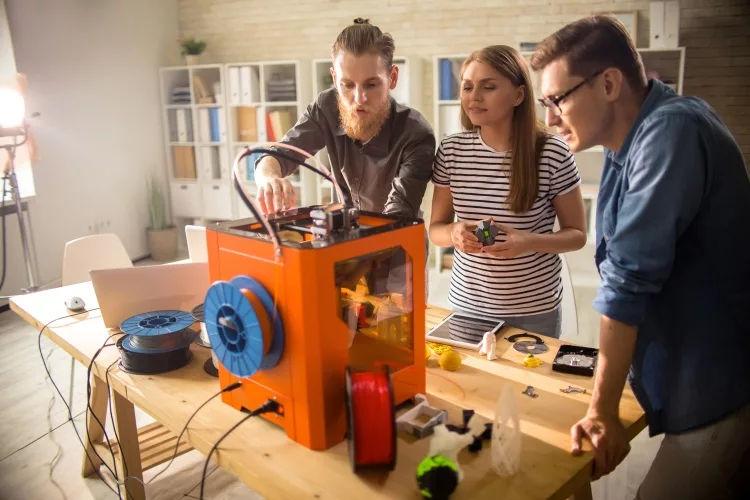
Power consumption matters beyond the monthly electricity bill. It reflects how efficiently a machine converts energy into a finished object, and it shapes decisions about which printer fits a given workspace or production volume. A printer running twelve-hour shifts in a basement studio faces very different cost math than one making occasional small parts in a home office.
This guide breaks down exactly where that energy goes, compares real-world draw figures across popular printer types, walks through the math for estimating monthly costs, and outlines practical steps for trimming energy use without sacrificing print quality. Understanding these numbers makes it easier to budget, plan, and operate any 3D printing setup more thoughtfully.
Contents
Understanding What Drives 3D Printer Power Consumption
Watts, Kilowatt-Hours, and What They Mean for Running Costs
The watt figure on a printer's spec sheet describes peak draw — the maximum the machine might pull when every heating element is firing simultaneously. In real-world operation, power draw fluctuates constantly. A heated bed warming from room temperature to 60°C pulls full wattage for several minutes, then the controller cycles the heater on and off to maintain temperature, dropping average consumption significantly below the rated maximum.
What actually appears on an electricity bill is measured in kilowatt-hours (kWh). One kWh equals 1,000 watts running for one hour. The U.S. Energy Information Administration reports that average residential electricity rates in the United States hover around 12–16 cents per kWh, though figures vary considerably by region. A printer averaging 120 watts over a ten-hour print consumes 1.2 kWh — roughly 15 to 20 cents at typical residential rates. Not alarming on its own, but the cumulative effect across a busy month of printing is worth tracking.
The Components That Draw the Most Power
Three subsystems account for the bulk of energy use in a typical FDM printer. The heated bed is usually the single largest consumer, drawing 100–200 watts during warm-up and 30–80 watts during steady-state maintenance. The hot end heater block is smaller — typically 30–40 watts — but runs continuously throughout a print. Stepper motors driving the axes and extruder add another 20–50 watts combined, depending on print speed and movement complexity.
Auxiliary components like part-cooling fans, the mainboard, and a touchscreen display add modest but real loads. High-end machines with enclosure heaters, integrated filament dryers, or dual extruder systems can push totals well above the baseline figures most guides cite. Just as laser printers spike heavily during the fusing stage but idle at very low draw, 3D printers peak during warm-up and settle into a lower but sustained average once printing begins.
Real-World Power Use Across Printer Types
FDM Printers: The Everyday Workhorses
Fused deposition modeling printers dominate the desktop market, and their power profiles reflect their mechanical complexity. Entry-level machines in the Ender 3 class typically average 70–120 watts during a standard PLA print, with the heated bed accounting for a significant share. Mid-range enclosed printers — the Bambu Lab P1 series, Prusa MK4, Creality K1 — often run 150–250 watts on average because larger beds and higher print speeds keep both motors and heaters working harder for longer.
High-temperature machines designed for engineering filaments like nylon, polycarbonate, and PEEK push totals higher still. Maintaining a heated chamber at 80–100°C adds substantial continuous load, and some industrial-grade desktop units average 400–600 watts across a full print cycle.
Watch out: Extended print jobs with a heated bed running at maximum temperature can add 20–30% to total energy draw compared to PLA prints — always measure the first few jobs with a power meter before estimating monthly costs.
Resin Printers: A Different Energy Profile
MSLA and DLP resin printers operate on fundamentally different principles. They have no heated bed in the traditional sense, no stepper-driven gantry making rapid traversals, and no hot end. Power draw is typically far lower — most consumer resin printers average 20–60 watts during operation, with the UV LED array and lift motor accounting for most of that load.
The tradeoff is that post-processing resin prints requires dedicated washing and curing stations, each drawing additional power. A wash-and-cure unit running a 15-minute cycle might add another 20–40 watt-hours per batch. When total workflow energy is tallied — printer plus post-processing — the gap between resin and FDM narrows somewhat, though resin systems still generally come out ahead on electricity costs per printed hour.
| Printer Type | Typical Average Draw | Est. Cost per 10-Hour Print* |
|---|---|---|
| Entry FDM (e.g., Ender 3 class) | 70–120 W | $0.10–$0.18 |
| Mid-Range Enclosed FDM | 150–250 W | $0.18–$0.38 |
| High-Temp Engineering FDM | 400–600 W | $0.48–$0.90 |
| Consumer Resin (MSLA/DLP) | 20–60 W | $0.03–$0.09 |
| Resin + Wash/Cure Station | 40–100 W (combined avg) | $0.06–$0.15 |
| *Estimated at $0.15/kWh. Actual costs vary by region and specific print conditions. | ||
How to Calculate and Monitor Energy Use
Reading the Specs vs. Measuring Live Draw
Manufacturer spec sheets list rated or maximum wattage — not average operating wattage. The difference is significant. A printer rated at 350W may average only 130W over a typical PLA print because the heated bed spends most of its time in maintenance mode rather than actively ramping temperature. Relying on the spec-sheet number consistently overestimates real costs, sometimes by a factor of two or more.
The most accurate approach is a plug-in power meter, commonly called a kill-a-watt meter. These inexpensive devices log cumulative kWh consumed over a full print job, delivering a precise cost figure. Measuring several representative jobs — short and long, different materials, different ambient temperatures — builds a reliable average usable for ongoing estimates. One measurement session pays for itself quickly in better budget planning.
Estimating Monthly Electricity Costs
Once an average wattage figure is established, the math is straightforward. Multiply average watts by monthly operating hours, divide by 1,000 to convert to kWh, then multiply by the local electricity rate. A machine averaging 150 watts running 100 hours per month consumes 15 kWh — about $1.80 to $2.40 at typical residential rates. Even production-level users running 300 hours per month face costs under $15 in most regions, making electricity a relatively small fraction of total operating expenses. This contrasts sharply with inkjet printers, where ink longevity and cartridge replacement costs tend to dominate the operating budget.
For workshops with multiple printers running simultaneously, costs scale linearly. Three machines at 150W average drawing power for 300 hours each represent 135 kWh monthly — meaningful overhead alongside other shop expenses, and worth tracking as part of a complete cost-per-part calculation.
Reducing 3D Printer Power Consumption Without Compromising Quality
Print Settings That Cut Power Draw
Several slicer-level adjustments have a direct impact on energy use. Reducing print speed lowers motor demand but extends print time, so the net effect on total energy consumed is often neutral or even slightly negative. More impactful choices include printing at a lower bed temperature when the material permits it — PLA on a smooth PEI surface often adheres reliably at 50–55°C instead of the commonly recommended 60°C — and using an enclosure that retains ambient heat, reducing how frequently the bed heater cycles on to compensate for room drafts or seasonal temperature swings.
Pro tip: Reducing hot end temperature by just 5–10°C on compatible filaments like PLA can lower heater duty cycles noticeably over a long print run, trimming energy use without impacting layer adhesion on most setups.
Batching prints is one of the most overlooked efficiency moves available. Running the printer through one extended session — keeping the bed hot and the machine active across multiple parts — uses less total energy than repeatedly heating up and cooling down across several short sessions. The warm-up phase consumes disproportionately more energy per unit time than steady-state printing.
Hardware and Workflow Choices
Hardware decisions carry long-term energy implications. Printers with well-insulated heated beds and efficient thermal design maintain temperature with less energy than older or budget designs using thin aluminum beds. Upgrading to a silicone-pad bed heater with better thermal distribution can reduce both warm-up energy and ongoing maintenance cycling. Much like how understanding how long printers last informs smarter purchasing decisions, understanding energy profiles helps users select hardware that genuinely fits their use patterns rather than just their initial budget.
Automatic power-off features, available on many modern machines, prevent standby draw from accumulating over hours of inactivity between jobs. Even a 10-watt standby draw across an eight-hour gap adds 80 watt-hours — trivial for a single instance but meaningful across a full month of regular use. A smart plug with scheduling capabilities offers the same benefit on machines that lack native auto-shutoff.
Frequently Asked Questions
How many watts does a typical 3D printer use?
Most consumer FDM printers average between 70 and 250 watts during active printing. Entry-level machines typically land around 70–120 watts, while larger or enclosed mid-range models average 150–250 watts. Resin printers draw considerably less, usually 20–60 watts during operation.
Does 3D printing use a lot of electricity?
Relative to most household appliances, 3D printing is not particularly power-intensive. A ten-hour print on a mid-range FDM printer costs roughly 20–35 cents in electricity at average residential rates. Even heavy users running a printer several hundred hours per month typically find electricity costs modest compared to filament and material expenses.
Which uses more power, FDM or resin printing?
FDM printers generally consume more electricity per hour because of heated beds and stepper-driven motion systems. Consumer resin printers average 20–60 watts, significantly lower than most FDM machines. When post-processing wash-and-cure equipment is included, the gap narrows, but resin workflows still typically use less electricity overall per print hour.
How do I calculate 3D printing electricity costs?
Measure actual average wattage with a kill-a-watt meter during a representative print job. Multiply that figure by print hours to get watt-hours, divide by 1,000 for kWh, then multiply by the local electricity rate. Using 150 watts as a baseline for a mid-range FDM printer gives a reasonable starting point for quick estimates.
Does bed temperature affect power consumption?
Yes, significantly. The heated bed is typically the largest single energy consumer in an FDM printer. Running at 60°C for PLA draws less sustained power than maintaining 90–110°C for ABS or ASA. Lowering bed temperature to the material's minimum reliable adhesion point is one of the more effective ways to reduce average power draw over long prints.
Can print settings reduce energy use without sacrificing quality?
Several adjustments help without meaningful quality tradeoffs. Using an enclosure retains heat and reduces bed heater cycling. Batching multiple parts into one session avoids repeated heat-up cycles. Tuning bed and hot end temperatures down to each material's tested minimum adds up to measurable savings over time without affecting layer adhesion or print accuracy on most machines.
How does 3D printer power consumption compare to common household appliances?
A mid-range FDM printer averaging 150 watts is comparable to a desktop computer and far below appliances like electric kettles (1,200–1,800W) or microwave ovens (700–1,200W). Over long print runs, cumulative kWh can approach that of a refrigerator cycling over the same period, but per-hour draw remains modest by household standards.
Does a 3D printer in standby use much power?
Standby draw varies by machine and firmware. Many modern printers consume 5–15 watts while powered on but idle. Over extended gaps between jobs, this accumulates. Using auto-power-off features or a smart plug to cut power completely after a print finishes eliminates unnecessary standby consumption with no impact on print quality.
Understanding 3D printer power consumption transforms guesswork into informed decisions — and informed decisions lead to lower bills, longer machine life, and a more sustainable printing practice.
 |  |  |  |

About Karen Jones
Karen Jones spent seven years as an office manager at a mid-sized financial services firm in Atlanta, where she was responsible for a fleet of more than forty inkjet and laser printers spread across three floors, managed ink and toner procurement contracts, and handled first-line troubleshooting for connectivity failures, paper jams, and driver conflicts before escalating to IT. That daily exposure to printers from Canon, Epson, HP, and Brother under real office conditions gave her a practical command of setup, maintenance, and common failure modes that spec sheets never capture. At PrintablePress, she covers printer how-to guides, setup and troubleshooting tips, and practical advice for home and office printer users.


Get some FREE Gifts. Or latest free printing books here.
Disable Ad block to reveal all the secret. Once done, hit a button below
| | | |